
(last edited on March 28, 2015 at 8:46 am)
 NOTE The “Productivity Tools” menu supercedes this page. Check it out
The Printable CEO™ (PCEO) was born from a desire to focus my time more productively. For me, that means things that make my freelance practice sustainable and fun. The Printable CEO name comes from the idea that a good CEO should focus primarily on those things that move the company forward; since I can’t afford to hire my own CEO, being able to print one out seemed like the next best thing! :-)
In general, I use only one form at a time depending on what my needs are at the moment:
- High Level Goal Tracking for Freelancers and Small Business Owners – Download the Concrete Goals Tracker (CGT)
- Project-level Task Tracking – Download the Task Progress Tracker (TPT)
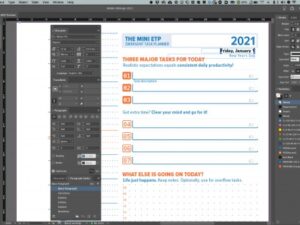
- Realistic Daily Planning – Download the Emergent Task Planner (ETP)
- Keeping Track of Planned versus Unplanned Stuff that Happens – Download the Emergent Task Timer (ETT)
- Keeping Track of Individual Task Assignments – Download the Task Order Up (TOU)
More detailed information about The Printable CEO™ series can be found below.
The Concrete Goals Tracker (PCEO Part I)
 First released on September 23, 2005.
Part I is about identifying what tangible things you can do that move you toward your goals. It’s not enough to just “be busy”; you have to be creating tangible assets and lasting impressions on people to make headway. The Concrete Goals Tracker is a form that, in the context of freelancing, helps you focus and track your progress on a week-by-week basis. Many have adapted the form to their own goals; there are editable versions available for your customization.
- The Original Standard Form and explanation. You can also grab an Editable PDF, which uses interactive text-field entry.
- Form Variations, including a customizable Excel version, and a foldable version similar to the PocketMod.
- A version that can be incorporated into a PocketMod printout, through double-printing a piece of paper.
- Reader-contributed PowerPoint Version (non-interactive) — thanks to Robert K. Brown for his hard work!
- Geoffrey Grosenbach’s Web-based Task Tracking Tool, which uses concepts from The Printable CEO (used by permission).
- For thoughts about the use of the PCEO, check out The Making of the Printable CEO and The Printable CEO Revisited
- What other people are doing with the PCEO.
- Index card Hipster Compatible version.
- Another article on how to create your own list of goals.
The Task Progress Tracker (PCEO Part II)
 First released on November 11, 2005.
Part I: Concrete Goals Tracking helps identify what is worth working on. But what about when you just need to put your nose to the grindstone and keep focused on getting longer projects done? Well, you don’t need your CEO yelling at you; you need a project manager. That’s sort of what the Task Progress Tracker does: task tracking.
- The First Release
- Musings on the success/non-success of the form.
- Destruct-o-Matic variation of the Task Progress Tracker, which is more game-like with “bullet holes and explosions and stuff.”
- Adrian Pollardo’s Pac-Man Variation… this rocks!
- The Power User Edition, which is also laser-printer friendly.
The Emergent Task Timer (PCEO Part III)
 First released on April 18, 2006.
The Task Progress Tracker (Part II) is great when you’re measuring progress on specific projects. But what about when you don’t have something specific to work on? Where does all the time go? The Emergent Task Timer is task tracking flipped around; use the form to find out what you’re doing, and take corrective action. If you need a little extra push to get working on the things you should be doing, try this form with an egg timer to set the pace. Grad students: this one is for you :-)
- Emergent Task Timing original article.
- Wider 12-hour Version variation, because I “work” longer days.
- Online Version written in Flash (prototype stage, but usable).
- An Example of Use, by request, showing how I mark up the form.
The Task Order Up! (PCEO Part IV)
 First released on May 4, 2006.
So now you’ve figured out what you need to do and why it’s important. You’ve got all your projects lined up and sorted, and you’re ready to rock! The problem is that you’re juggling multiple projects simultaneously. How do you maintain a clear picture of what’s on deck and what need to be done? Borrowing from the restaurant industry, the Task Order Up is a task ticket that puts all the information you need on one slip of paper. Manage multiple tasks with multiple tickets like a short-order cook.
- The Task Order Up!
- 3×5 index card version (4 per 8.5×11 sheet) by request!
- 3×5 and 4×6 index card versions, 1 per custom sheet, by request!
- The Intermittent Task Tracker, a variation, in 4×6 format.
The Network Catch-o-Matic (PCEO Part V)
 All the PCEO tools so far have been about tracking those tasks that are important to you. However, tasks and time are only one aspect of a productivity system. You need people to affirm your actions in most cases; doing a great job is that much sweeter when other people are there to slap you on the back and help you celebrate.
I’m not particularly good at going out and meeting people, so I created the Network Catch-o-Matic to help train the habit. It’s a simple counting form that lists a number of steps you need to do to actually get to know someone. Some of you already know how to do this; this form is not for you. But if you’re shy like me, this form might help provide a game-like structure within which we can hone our people-meeting skills.
- Read about The Network Catch-o-Matic.
The Menu of the Day (PCEO Part VI)
 Just in time for the 1-year anniversary of the first Printable CEO™ form, the new Menu of the Day form expands on the original point list to include process. Menu of the Day could probably be described as a CGT with the additional dimension of “operations”.
- The Menu of the Day daily worksheet pulls schedule grids together with tasks.
The Emergent Task Planner (PCEO Part VI.1)
 The Menu of the Day was too complicated, so the Emergent Task Planner rose from its ashes!
- Original Form
- Refined Form
- Discussion about the ETP
- Another user mod by GTDWannabe
The Resource Task Quantizer and Resource Scheduler (PCEO Part VII)
 Allocating time for projects in the future, especially when you’re juggling several deadlines at once, is a pain in the butt because it’s difficult to visualize what time you have available and what will fit. The RTQ and RSS are forms to manage the tasks in a project and allocate time to them on a week-by-week basis.
- The Original Article and forms.
The Day Grid Balancer (PCEO Part VIII, In Progress)
 I’ve been interested in figuring out whether a good work-life balance leads to a feeling of happiness, so I created a form that will ostensibly help me do that. It’s very much a work in progress, but I’m also releasing the source files under a Creative Commons license so people can adapt it to their own needs.
- The Original Article describes the rationale and methodology behind the design, and provides links to earlier articles that lead up to it.
PCEO Inspired: Blue Flavor’s Awesome Time sheets
- These paper timesheets from Blue Flavor incorporate a PCEO-style Action Item list into a really clever time-tracking worksheet. It’s a really well-designed time tracking worksheet that is actually useful for day-to-day hour or task tracking in the studio environment. Very cool!
PCEO Hack: The Printable CEO Integration with 37Signals’ Backpack
I have not tried these myself, but they look cool!
- Leon Kilat’s implementation of a color-coded Backpack Score List
- Damien Tanner’s Greasemonkey script to colorize Backpack ToDo list items.
Time Tracking with Excel
Not part of the PCEO series, but of possible interest to Excel mavericks who haven’t switched to QuickBooks.
- Doing Time in Excel describes the Excel worksheet system I use for tracking billable time and maintaining project focus. It also has a bit of To Do List methodology built-in. You can download a sample worksheet and customize it; my favorite part is the formula that calculates time in 0.25 hour increments from a single line entry.
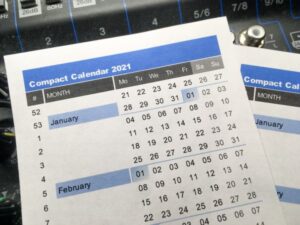
- My Compact Calendar is a printable calendar I use for estimating realistic schedules. It presents calendar time as one continuous block, more compactly than a Gantt chart. It’s also an Excel spreadsheet, but mostly it’s in this format because I can automatically calculate the dates for a given year by changing just one number.
The Pickle Jar
Not part of the PCEO series, but useful for people with too many cool projects that clamor for attention, when you should be working on something else. I came up with this when I was writing my thesis and not very excited about it.
- Hold that Thought! — a description of the Pickle Jar: an actual jar with ideas stored in it. It makes me laugh every time I look at it.
Articles on Productivity and Procrastination
I occasionally write about what I think is behind my motivation to do things. You can find these posts generally in the introspection or productivity categories; here’s some posts that you might find interesting:
- Taking a Look at GTD — I finally read Getting Things Done, and my general observations.
- Clarifying the Meaning of Productivity — In the context of business, we’re trained to think of metrics like how many per hour. But when it comes to your personal productivity, it’s more about how you feel. It’s quantatative versus qualitative thinking again.
- Optimizing and Procrastination — How the desire to optimize kills the impulse to act.
- Building a Niche of One — Really, your competitive advantage should be you, and it’s not as hard to start building yourself up.
- Separating Work from Passion — The difference between just “liking something” and “living for it” is action. Are you sure that your “passion” really is one, if you’ve been putting it off all the time?
- Menu of the Day — When the To Do list items become too plentiful, it’s time to think in terms of dishes. This is the original MotD article that eventually led to the full form.
- The productivity category will fish up more blog posts that have not yet been moved to this list.
- Or subscribe to my Productivity RSS feed.



26 Comments
think the simple idea of weighting biz dev tasks is a great one. It should help you get the most out of your efforts. But he doesn’t stop there. He also provides a great weekly progress chart to help keep track of it all.
I am a firm believer in tracking progress and creating charts to visually monitor things. I ran a phone card and cell phone distrubtion company for 1.5 years, and we really took off once we implemented rigid charting procedures. Our mainstay was a product that we introduced in June of 2004, and by the same month of 2005, we had sold $5MM worth (retail dollars) of the product. Because of the specific data that we amassed, we were able to decisively choose routes to success. I think it’s probably high time I started applying the same rules to my personal life, especially now that I own my own business(es).
Dude-
I get it.
I suddenly feel free, there are others ;-)
No doubt- ROCK ON!
Great stuff Dave. You’re going to put me out of a job Your site was shared with me by one of my smarter clients.. we should talk. Cheers,Pam
Hi,
I’m looking at your site… thinking wonderful! Now I just need to get started.
I’m in a frazzle and often don’t know where to begin. Just a thought but your site would probably be inundated with an “I’m overloaded – where do I start” post for those that are at breaking point!
Just a comment and I will continue to slug it out!!! Job well done on your site!
Various links, e.g. task order up show as empty, e.g. just the header graphic but no content
This is in both firefox and safari on my powerbook, worked the other day
Probably wp-cache screwing up again…sometimes it does that.
I have been using a much more barebones grid system for keeping me on track for the past 2 years, but I love color and your sheets are so much more visually pleasing! Great work. Glad I found your blog (thanks to SuccessfromtheNest.com). I’ll be back for more reading.
Hi Dave, I’ve suggested the flash task timer to many teachers and students (high school and college) – it’s so reasonable and practical. The folks at both Teachers At Risk and Greenwich Academic have it in their toolboxes for their students!
Also, here’s something you may like – an educational tool in the style of PCEO, a printable color-coded form for students to learn how to organize their essays. Thought you might like this from Elona’s Teachers at Risk blog: “Graphic Organizer for Writing Better Essays.”
Best, S.
Great series, it gives me butterflies in my stomach :P
About GTD, I have yet to buy the book. I’m so glad I stumbled upon your site (no pun intended), for I wouldn’t have discovered the system.
What do you do about daily tasks, like meditation, exercise, etc… Put this to thought, a way to organize daily tasks, and necessities. That way our food intake, study habits, and exercise can be managed with the elegeance you manage freelance work.
I’m working on that now, a daily activities system. Once again, thanks for the post! You’re officially in my feed reader :P
~Jp
these are all great and i use the stand-alone ett nearly every day. my only complaint with all the others: i wish they were interactive and didn’t require me printing them out. if i could click on the bubbles and have them be marked (like the stand-alone ett), i would use almost all of these in your printable ceo lines.
thanks for all this and keep it up.
I’m in the process of learning how to actually talk to databases and integrate them with some kind of user management…software systems are a long-term goal (I get tired of printing things out too :-)
The GTD Wannabe links should be updated:
http://gtdwannabe.com/2007/05/inspired-by-the-printable-ceo-2007-edition/
Thanks for these very useful tools, Dave. I use the Task Progress Tracker and the Emergent Task Planner in my daily work since 2 months now. Keep up the good work!
Hey David,
These templates are great! You rock! I especially like the idea of the people-meeting tracker.
Here’s an idea: Make large-sized printouts to hang on a wall for a whole team to track their progress on some shared task or project.
All the best in 2008!
– Andrew
David,
POWERFUL. This is a wonderful article and a great list of resources and I’m ‘stumbling’ it.
I love tools like this that help you inventory your activities and assess them objectively. It’s high impact for minimal effort…exactly what a CEO should be doing.
Thank you for putting this together.
David, you’re a genius! Thank you for share your works!
David,
I only now discover the PCEO-series, what a pity I didn’t do so earlier.
Two questons and one suggestion.
Why dont you publish the content as a book (on demand)? Fix costs close to nothing.
And if you miss the time, maybe outsource the assembly of the articles (and the forms of course) to a country with low labour costs. To get some additional PR, you try crowdfunding?
Is the content available in other languages? This would be great content to license/localize?
And now the suggestion. I am checklist’ing a lot, and I alwas find the Eisenhower Matrix to be very useful, in distinguishing between urgent (but not neccessarily important tasks), and important but not urgent things. Maybe some PCEO Form on this too?
David
I take it that we are allowed to update the date from 2009 to 2010 with a PDF editor to allow us to continue using the forms in 2010 whilst we await any official updates.
thanks
Hey David,
I’m currently reading “Don’t Shoot The Dog” by Karen Pryor. It’s a book on Positive Reinforcement.
I just came across this paragraph and instantly thought of the PCEO.]
Check this out:
“Academicians have studied the most minute aspects of conditioning. One finding shows, for example, that if you make a chart to keep track of your progress in some self-training program, you will be more likely to maintain new habits if you solidly fill in a little square every day on the chart, rather than just putting a check mark in the square.”
Bubbles, man, bubbles! And fill the whole thing!
Regarding a CC license, I think a CC BY-NC-SA (Attribution, Non-Commercial, Share-Alike) would fit what you need. It makes sure no-one will be able to commercialize it. As far as I know, you still have the ownership of the work, so it would be possible to release it under a commercial (restrictive and non-CC) license later, although this would be somewhat against the spirit of Creative Commons. You could of course dual-license it (as far as I know), using a CC BY-NC-SA for non-commercial application, and a regular restrictive license for commercial applications.
Just wanted to say I’ve been using your time tracking tools for work since 2007. Love ‘em. They’re beautiful. Thank you for helping make my life more organized and productive. You should publish notebooks.
David,
Thanks so much fo sharing! You are brilliant!
The PDF’s are so useful!
Great design and useful forms. Love them, especially after using the Pomodoro Technique for a while.
I blogged about your Emergent Task Planner (amongst others) on my Dutch blog: http://www.outofsite.eu/go/blog/2059FC-17-nov-2010-10-tools-waardoor-ik-efficinter-kan-werken
Not sure if my comment was posted